On this page
- 1. Can you take everything with you?
- 2. How do you cancel?
- 3. Is the price per user, per scan, or per account?
- 4. How fast is a receipt processed?
- 5. What happens with duplicates?
- 6. How do you fix a wrong read?
- 7. Does it rely on connections that can break?
- 8. Can you reach a person?
- The trial checklist
- Whatever you pick
Key takeaways
- Many complaints in receipt app reviews are about leaving, billing and duplicates rather than scanning. Test those first.
- Find the cancel button and the export before you enter a card. If either is hard to find now, it'll be harder later.
- Send the same receipt twice and correct one wrong total. How the app handles both tells you how much cleanup you'll do.
- Whatever app you use, the records need to show who you paid, how much, when, how, and what for.
Most receipt apps can read a receipt. Where they differ is everything around it: how you leave, how you're billed, and how much cleanup the app leaves you.
When we read through public reviews of the popular receipt apps, the same complaints kept coming up, and most weren't about scanning. They were about cancelling, surprise bills, duplicate entries and slow answers. Each of those is something you can test in a free trial, in about an hour, before you hand over a card.
1. Can you take everything with you?
Start with the exit. Upload or forward a handful of receipts, then export them: the files and the data. Look at what you get.
- Are the original files included, or only a spreadsheet of numbers?
- Are the files named so you can find one later, or called
IMG_4821.jpg? - Does the export include the fields you'll need at tax time: who you paid, the amount, the date, how you paid and what it was for? Those are the details the IRS lists for supporting documents.
An app that keeps everything inside its own system makes leaving a project. One that writes into storage you already own makes it a non-event. ExpenseCatcher, for example, files each receipt in your own Google Drive and logs it to your own Google Sheet, so cancelling doesn't move anything.
2. How do you cancel?
Find the cancel button now, before you pay. Then answer three questions:
- Can you cancel yourself, in the app, without a call or a chat?
- What happens to your receipts the day the plan ends?
- When does it renew, and will you be told before the price changes?
Put the renewal date in your calendar either way. A cancellation that needs a phone call or a "quick chat with a manager" is a warning, however good the scanning is.
3. Is the price per user, per scan, or per account?
Pricing pages show the entry price. Your bill depends on the unit:
- Per user can jump when a colleague submits one receipt in a month.
- Per scan, or a scan allowance with overage fees, punishes your busiest month.
- Per account with a monthly allowance is the easiest to predict.
Work out what you'd pay in your heaviest month, not your average one. December and tax season are usually the heaviest.
4. How fast is a receipt processed?
Send three receipts at once and time them. Some apps read a receipt in seconds; others queue it for human checking, which can take much longer, and a few sell faster processing as an add-on.
Slow isn't always bad, since human checking can be more accurate. But you should know which one you're buying, and whether "fast" costs extra.
5. What happens with duplicates?
Duplicates are the most common cleanup complaint. Run two tests:
- Send the same receipt twice. Does the app spot it, or file it twice?
- If the app syncs to accounting software, send a receipt for a charge that's already in your bank feed. Is it matched to that transaction, or does it create a second one?
Two copies of a $49 subscription won't hurt this month. Forty of them at year-end will cost an afternoon, and they can inflate your expenses if nobody notices.
6. How do you fix a wrong read?
Every app misreads something eventually: a total that picked up the tip line, a date in the wrong format, a vendor named after the payment processor.
Find a receipt it got wrong, or pick one, and correct a field. Then check:
- Did the fix take a few seconds or a few screens?
- Did it flow through to the export or the accounting software, or only change the app's own copy?
If corrections don't travel, you'll fix the same mistake twice.
7. Does it rely on connections that can break?
Some apps log in to your suppliers' websites or your bank to fetch documents for you. That's convenient while it works. Connections break when a site changes or a login expires, often without warning.
Ask what happens when a connection fails: are you told, or do receipts quietly stop arriving? Email-based setups, where your inbox forwards receipts automatically, have fewer moving parts. In Gmail, it's one filter.
8. Can you reach a person?
Send support a real question during the trial, something like "How do I export everything if I cancel?", and time the answer. Note whether a person replied and whether they answered what you asked.
Support you'll need is billing support, usually at a bad moment. Find out now how long it takes.
The trial checklist
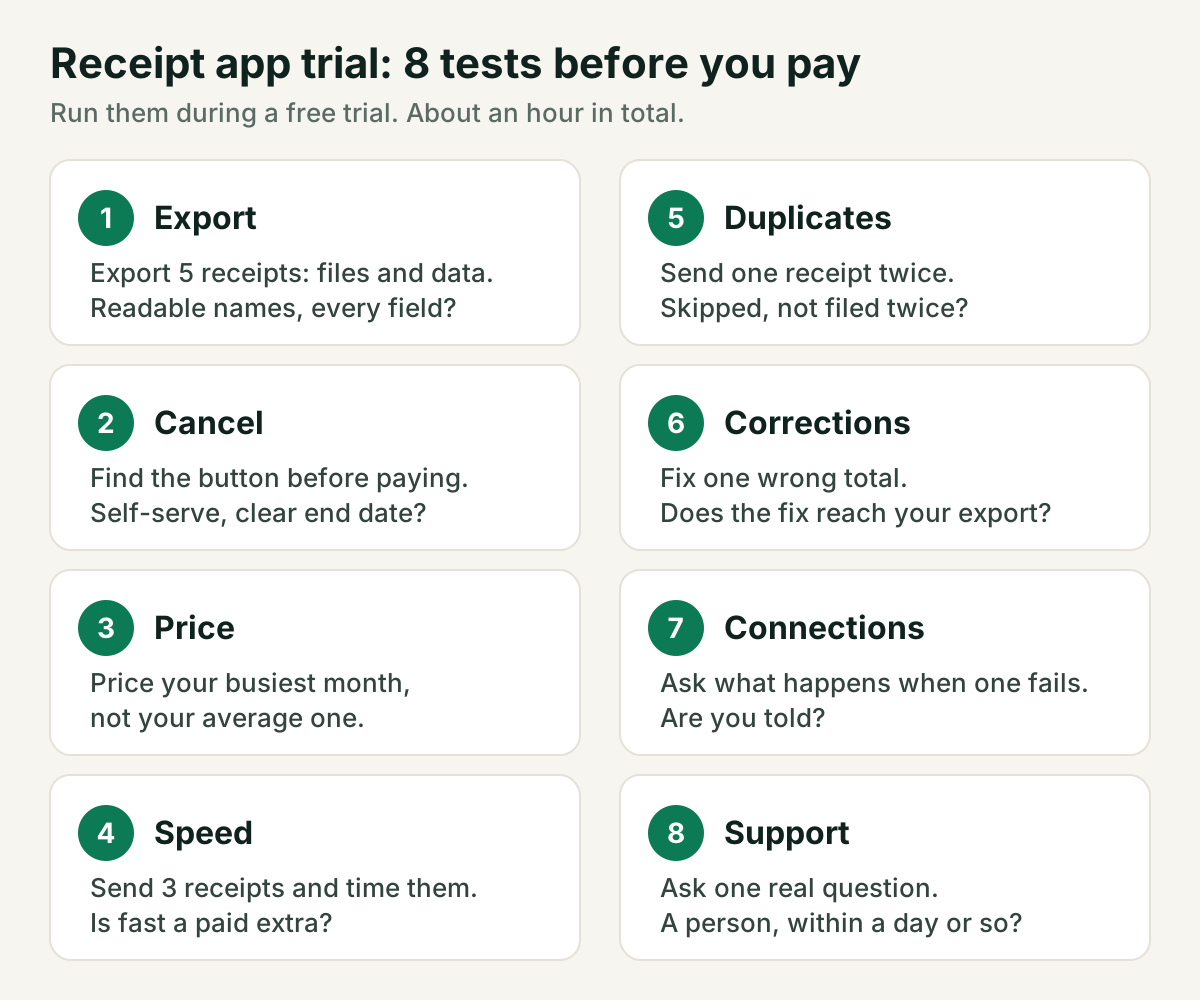
| Test | How to run it | What good looks like |
|---|---|---|
| Export | Export 5 receipts: files and data | Original files, readable names, all the fields |
| Cancel | Find the button before paying | Self-serve, clear end date, notice before price changes |
| Price | Price your busiest month | No surprises at your real volume |
| Speed | Send 3 receipts, time them | Clear about speed; no paid fast lane you'd need |
| Duplicates | Send one receipt twice | Flagged or skipped, not filed twice |
| Corrections | Fix one wrong field | Quick, and the fix reaches your export |
| Connections | Ask what happens on a failure | You're told, nothing silently stops |
| Support | Ask one real question | A person, a useful answer, within a day or so |
Whatever you pick
The app is only a tool for keeping good records. The records themselves matter more: who you paid, how much, when, how you paid and what it was for, kept for as long as you might need them. In the US that's generally at least three years after you file, and longer in some situations, so check the IRS guidance or an accountant for yours.
If a trial passes most of these eight tests, the scanning will be the least of your worries. For the next step, see how to organize receipts in Google Drive or how long to keep receipts.
Frequently asked questions
Do I need a receipt app at all?+
Not always. A folder in your cloud drive and a simple spreadsheet work well at low volume. An app starts paying off when receipts arrive by email faster than you can file them by hand.
How long should I keep the receipts an app stores for me?+
In the US the IRS generally asks you to keep records for at least three years after filing, and longer in some cases. Make sure you can export everything before you cancel, since the app's copy may not last that long.
Is a free plan enough to test an app?+
Often, if it includes the export and the cancel flow. A trial that hides either until you pay doesn't let you run the tests that matter.
Sources
General information, not tax, legal or financial advice. Rules differ by country and change over time — check with an accountant or your tax authority for your situation. How we write.